Choosing your spam filtering settings
The three ways spam filtering can be set up for your domain, and which one suits you.
Every incoming message is given a spam score. The higher the score, the more certain the system is that the message is unwanted. What happens to a message after scoring is determined by three thresholds which your administrator controls.
The administrator sets them in the control panel, under Spam Handling. Between them the thresholds cover a wide range of behaviour. Doubtful mail can be delivered tagged so people judge it themselves, held in quarantine, or rejected outright. As the numbers change, the panel spells out in plain words what will happen, so the effect is clear before saving.
The three arrangements below are the usual starting points, and each screenshot shows the values that produce it.
Viruses and blocked file types go to the quarantine whichever thresholds you pick. That part is not configurable.
Reject spam and suspect mail
Everything the system doubts is rejected at the door, and the sender receives a bounce message saying so.
Setting all three thresholds to the same score does this. Anything scoring that or above is rejected, and nothing suspect is delivered or held.
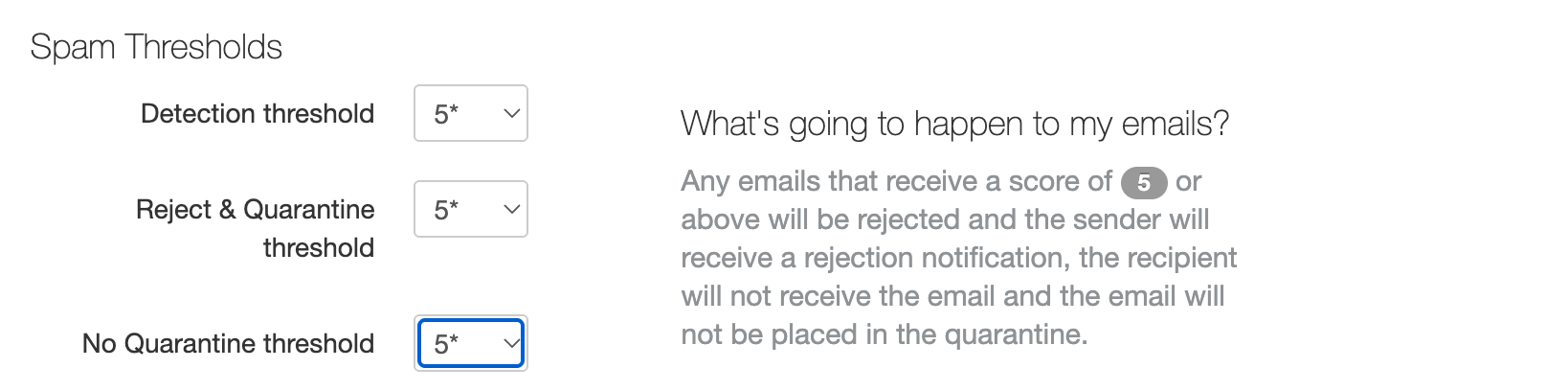
This results in the least amount of unwanted email, and leaves your administrator nothing to check. The cost is that a legitimate message wrongly judged suspect never arrives, and you learn about it only when the sender chases you.
Reject spam, deliver suspect mail to the user
Spam is rejected. Suspect mail is tagged, has its score added to the subject line, and is delivered as normal.
A gap between the Detection threshold and the Reject and Quarantine threshold creates this. Here, mail scoring 5 to 7 is delivered tagged, and anything scoring 7 or more is rejected.
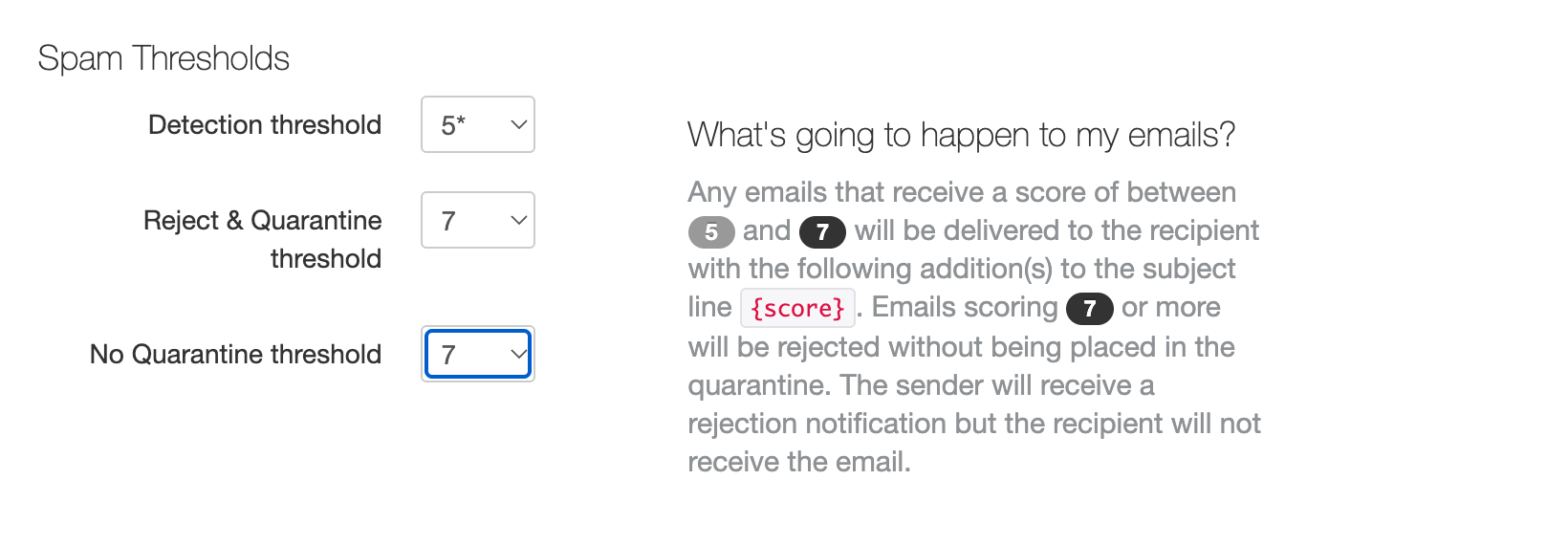
Each person then decides for themselves, and anything held wrongly is one drag away from the inbox with nobody else involved. Most mail programs can file the tagged messages into the Junk folder with a rule of their own.
Junk doubtful mail, quarantine the strongly suspected
This splits suspect mail in two, by how likely it is to be unwanted.
Mail that might be spam is delivered to the user's Junk folder, tagged with its score, so they can triage it themselves. Mail that is strongly suspected is held in quarantine instead. Clear spam is still rejected.
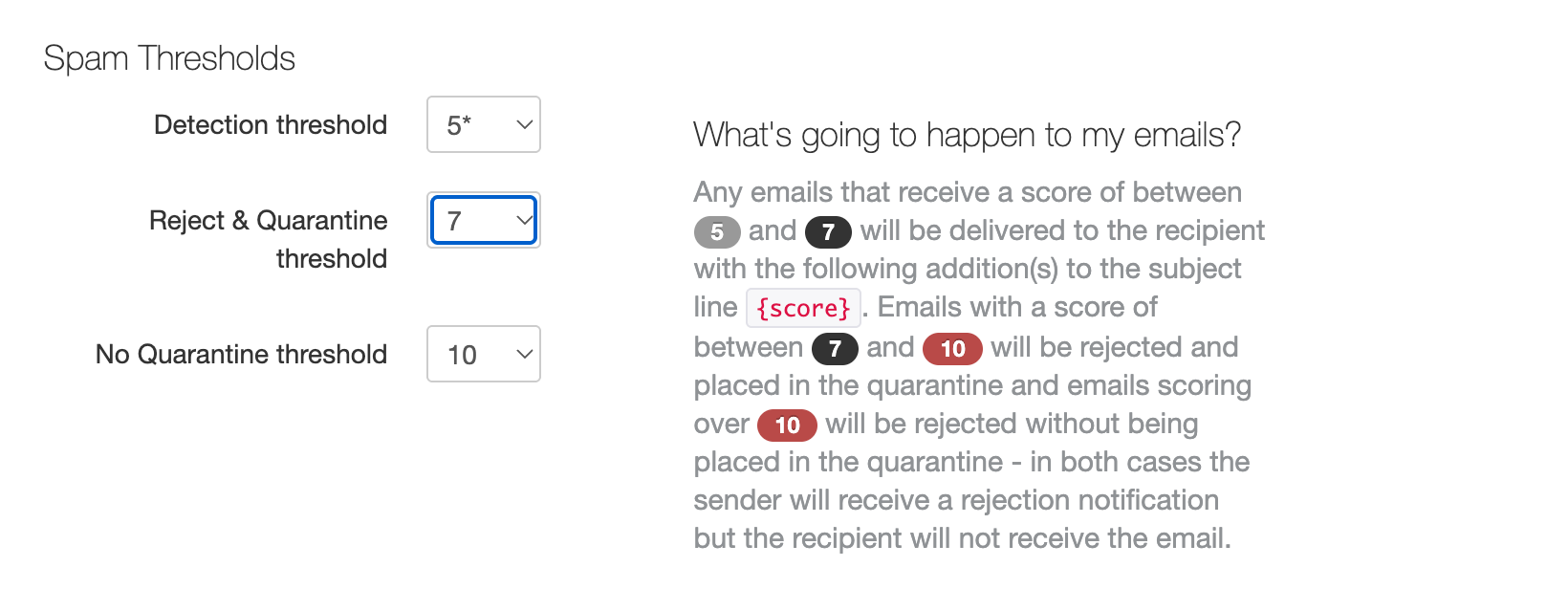
With these values, mail scoring 5 to 7 goes to the Junk folder and mail scoring 7 to 10 goes to quarantine. Anything over 10 is rejected.
The difference between the two is who can reach the mail. Anyone can look through their own Junk folder, but only an administrator can see and release quarantined mail. Quarantine therefore suits stronger suspicion, where a message is unlikely to be wanted.
Changing it later
An administrator can change the thresholds at any time in the control panel. A change applies to mail arriving after it, so they can be tuned gradually, with the effect watched before tightening further.