How to whitelist a sender's email address
This article shows you how to whitelist individual emails using the sender's email address - and also how to whitelist all emails from a particular sending domain.
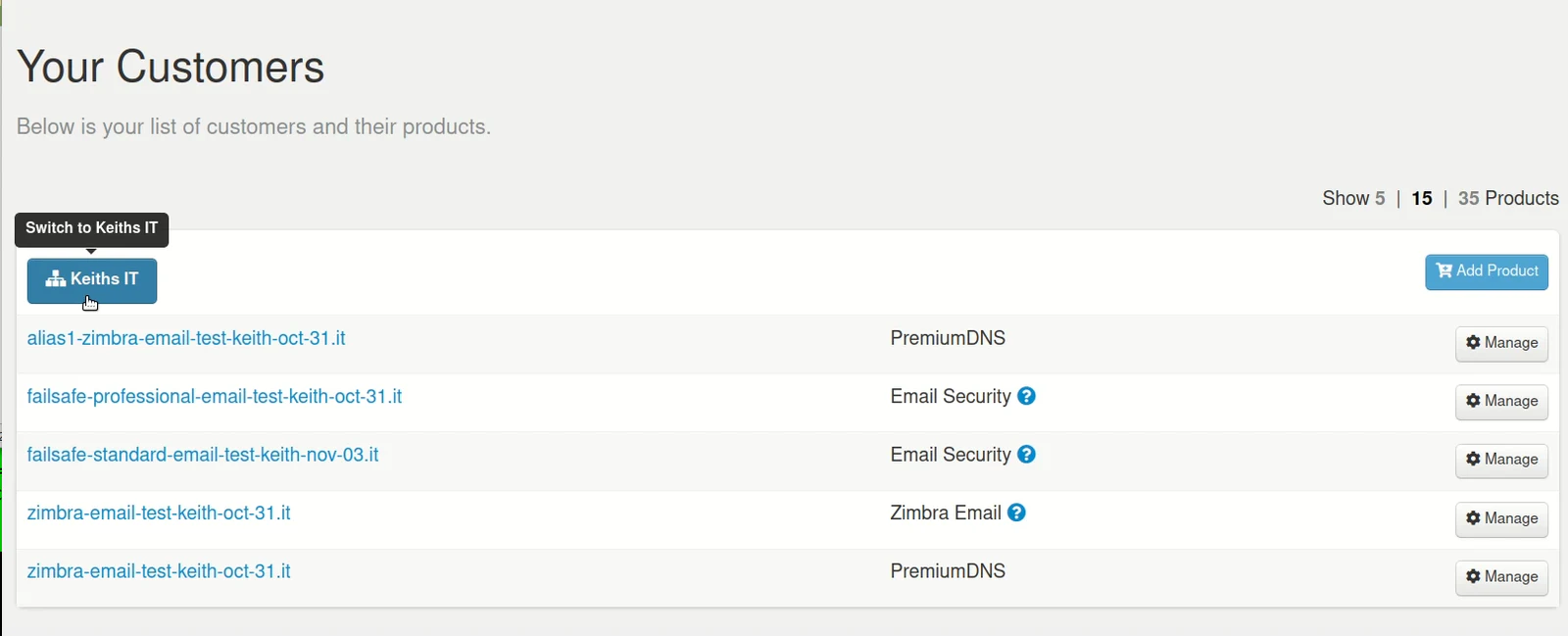
Step 1. Login to the Control Panel and under 'Your Customers' click on the customer's account you wish to manage.
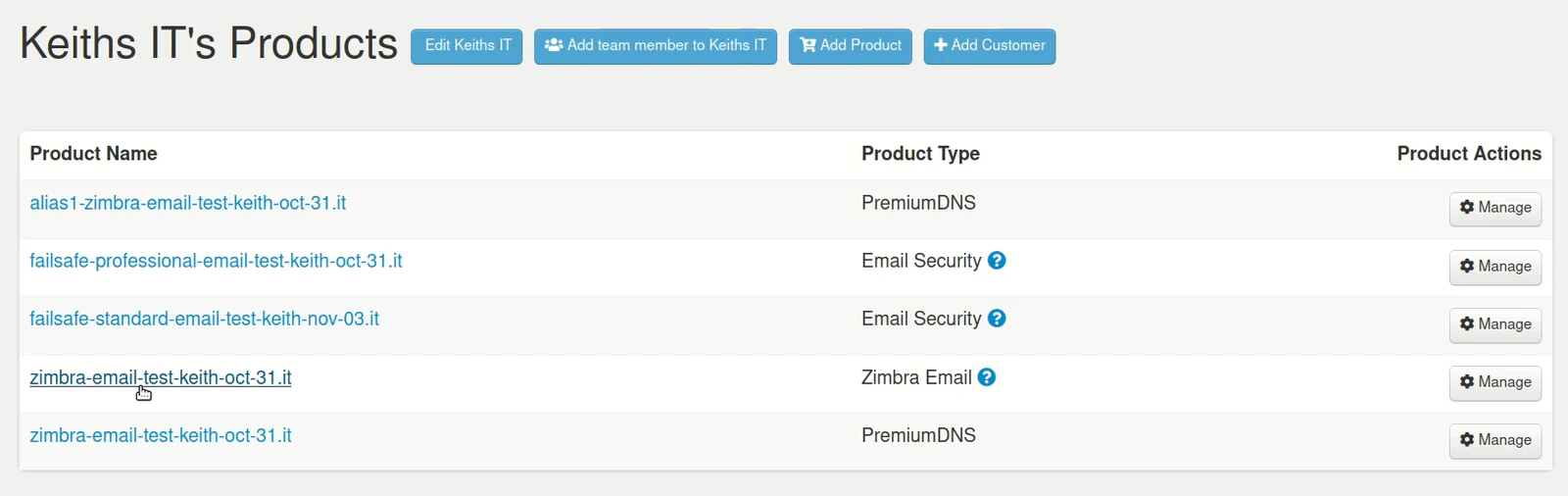
Step 2. From the customer's account page, click on the Product Name you wish to manage - in this example it's Zimbra Email.
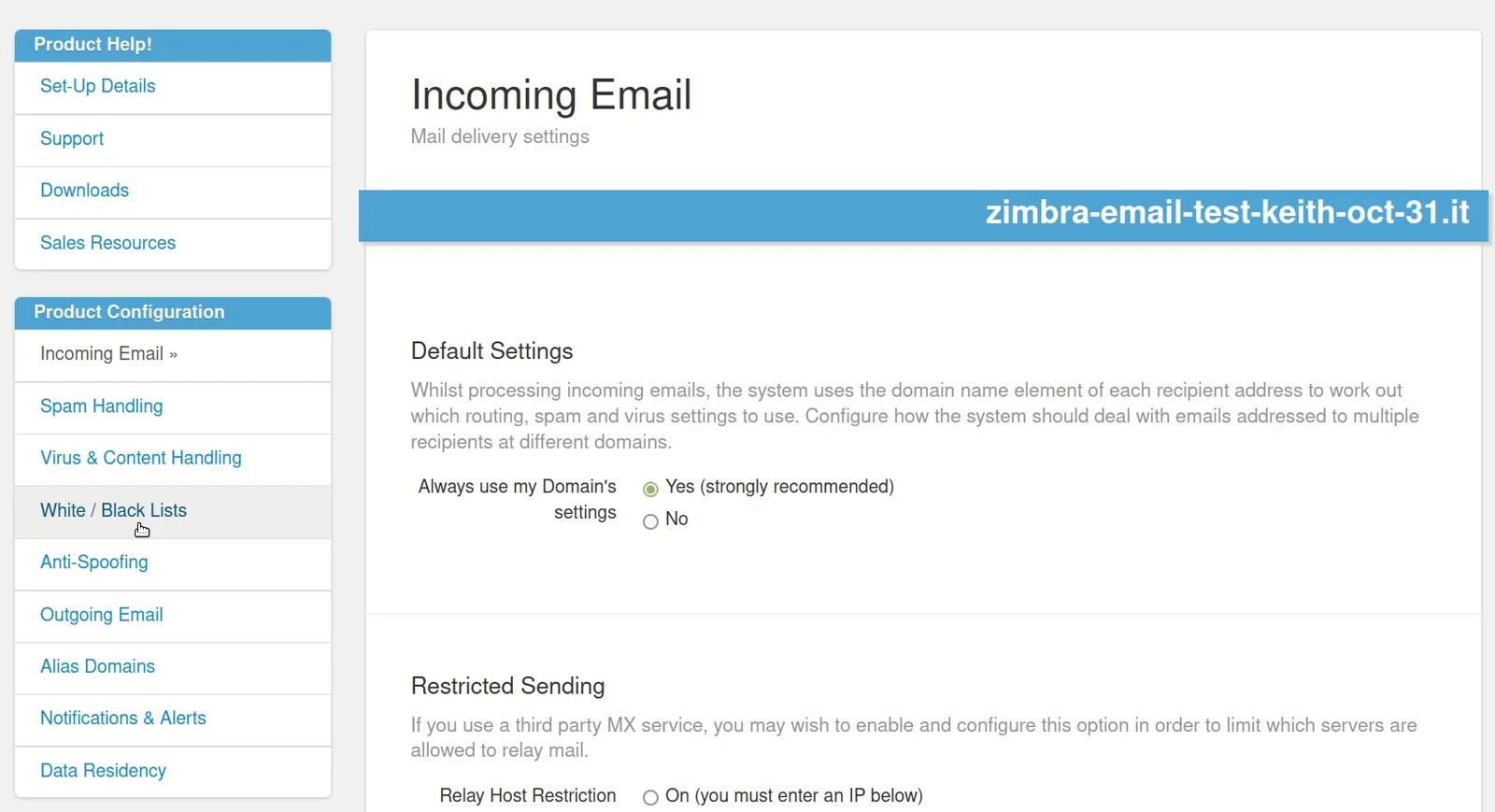
Step 3. Under 'Product Configuration' click on White / Black Lists
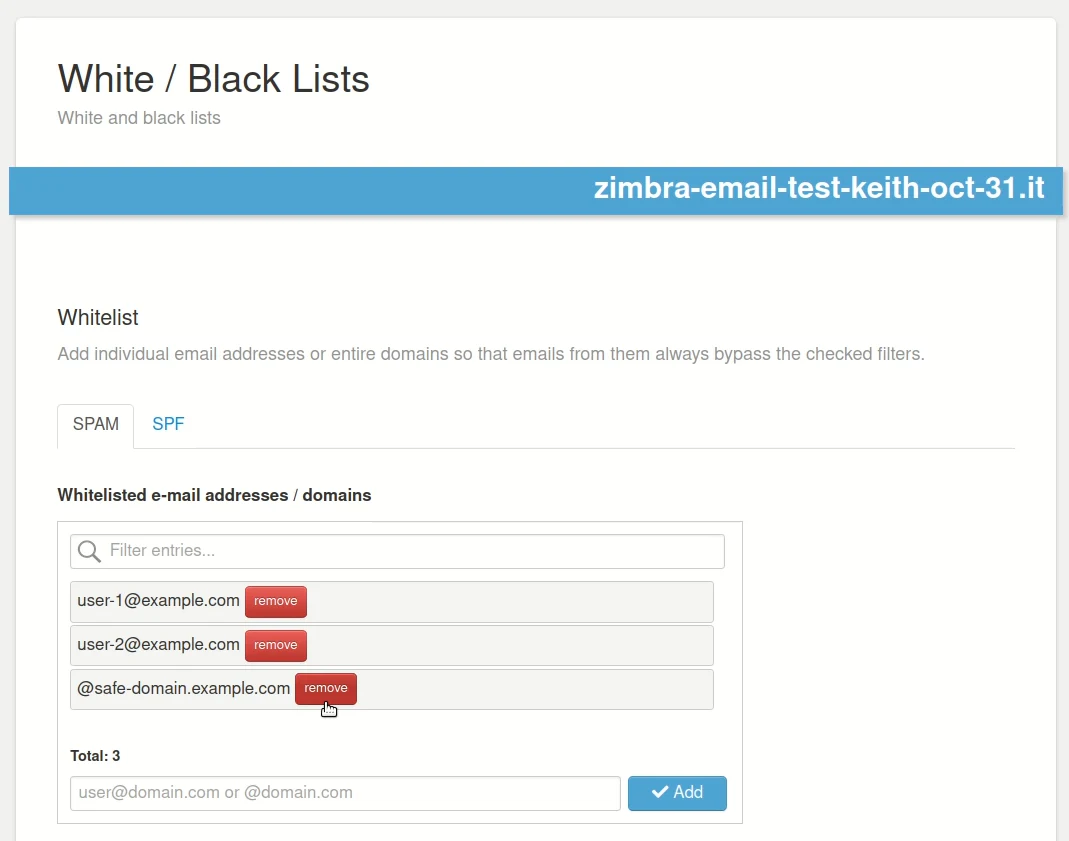
Step 4. In the White / Black List window, under the 'SPAM' tab, you can now add trusted senders, either by individual email address, or by adding a sender domain you know is trusted and safe.
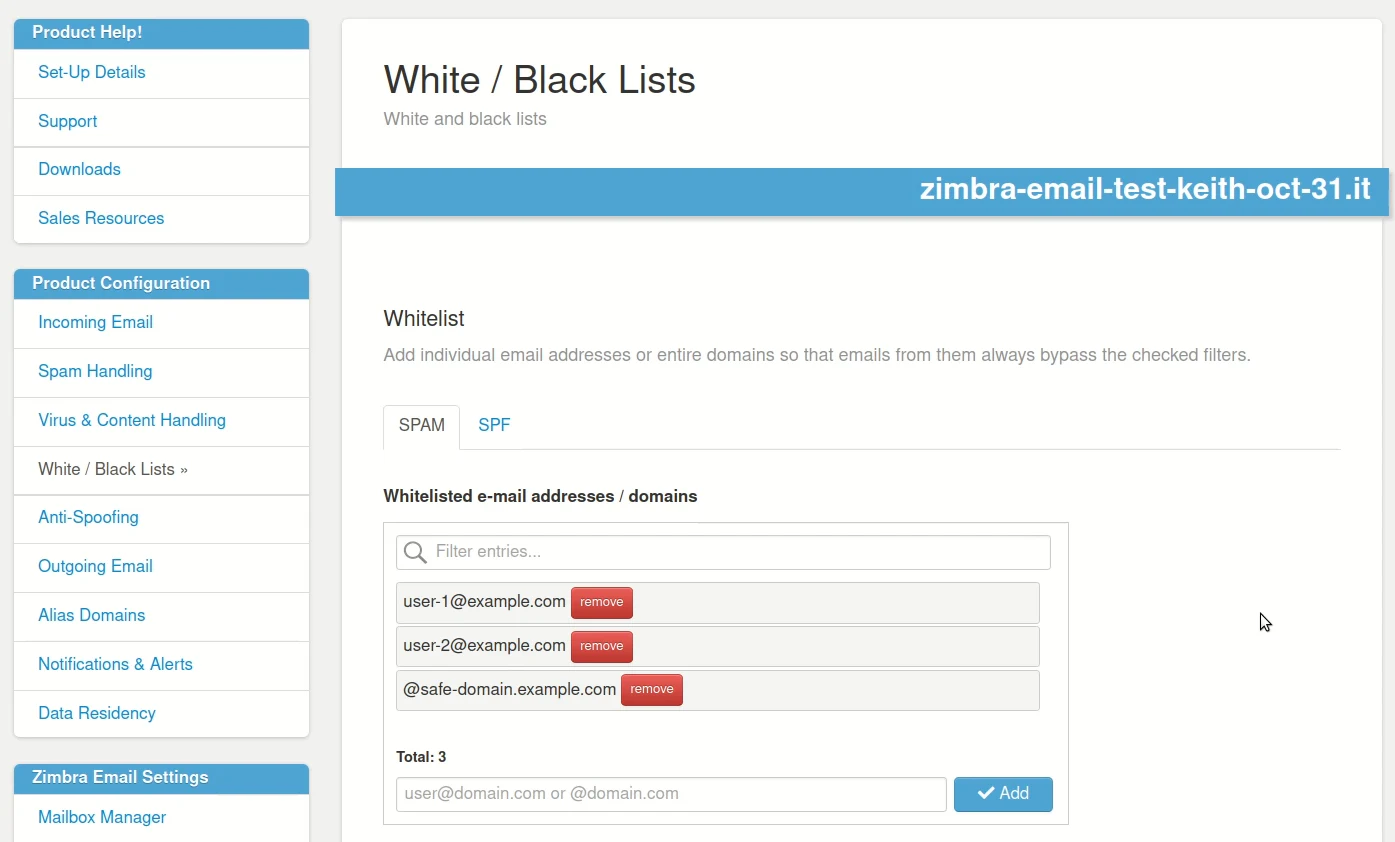
Step 5. To remove an existing email address or domain from the White List - simply click on the Red 'remove' button.