Training the spam filter
How moving a message into or out of your Junk folder teaches the filter, and how much difference one message makes.
Marking a message as spam, or as not spam, feeds the filter. It learns from what you tell it, and the training applies to your own mailbox.
If your mail is filtered by our Email Security service before reaching a server of your own, there is nothing to do. That system learns on its own.
Marking a message as spam
When something in your Inbox is spam and the filter has not caught it:
- Select the message in your Inbox.
- Click Spam on the toolbar.

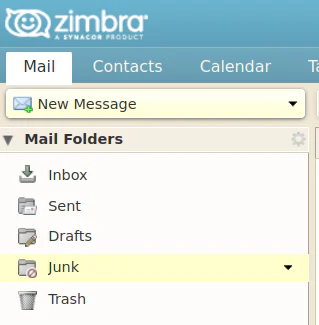
The message moves into your Junk folder. Dragging it there yourself has exactly the same effect.
Marking a message as legitimate
When something in your Junk folder should not be there:
- Select the message in the Junk folder.
- Click Not Spam on the toolbar.

The message returns to your Inbox. Dragging it out of Junk does the same thing.
This works however you reach your mailbox, so webmail, Outlook and a phone using ActiveSync all train the filter the same way.
What happens next
Moving a message queues it for learning straight away. You do not need to wait before doing anything else with it, because the queue is processed in the background and later actions on the message do not disturb it.
One message shifts the odds rather than settling the matter. The filter needs several examples before it reliably catches similar mail, so keep marking them as they arrive.
Moving a message into Junk by accident and then back out again teaches the filter both things at once, and the two cancel out. No harm is done, but nothing is gained either.
Almost every rule works this way. A message is judged spam when several rules agree, not on one alone, and the message headers show which rules matched and the score each one carried. See understanding why an email is marked as spam.