Why your browser says the connection is not secure in webmail
Why the padlock changes while you are reading mail, even though webmail's certificate is fine.
The warning is about the page you are looking at, not about the server. Webmail is served over an encrypted connection, but a message you open can pull in images from somewhere else. Where that somewhere else is not encrypted, the browser downgrades its verdict on the whole page.
Clicking the padlock in the address bar shows it.
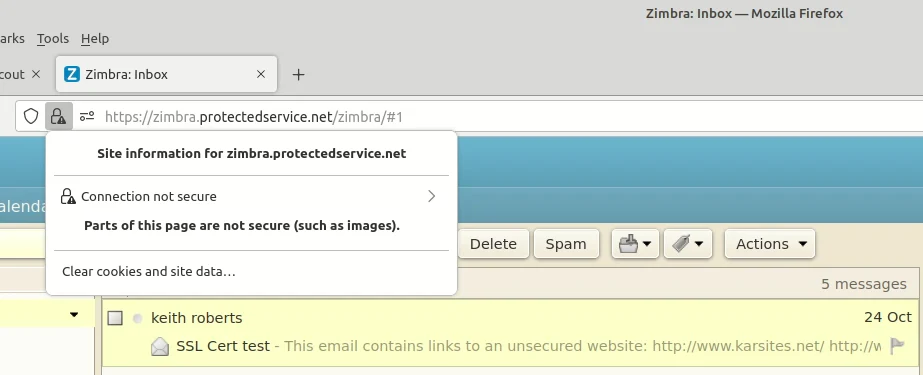
Opening the detail behind that message names what was loaded without encryption.
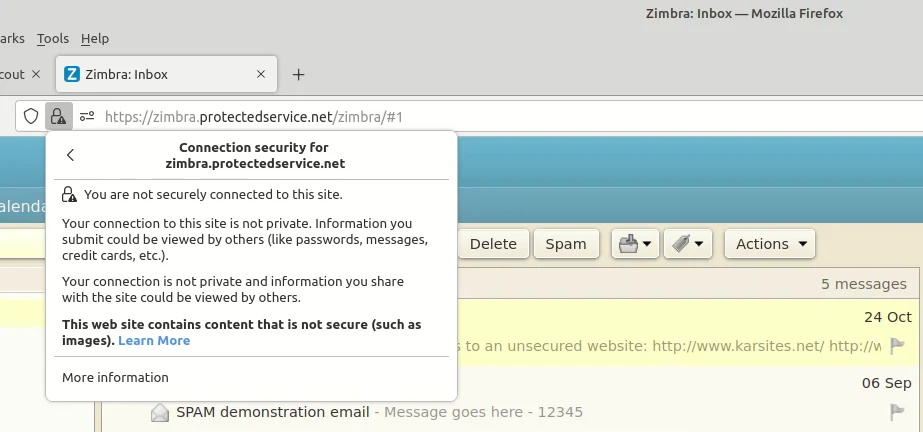
The warning stays after you move on to another message, because the page has not been rebuilt. Refresh the page and it clears.
Checking the certificate yourself
If you want to satisfy yourself that webmail's own certificate is valid, run the address through an independent checker such as the DigiCert SSL installation diagnostics tool. It reports on the server, which is the part the browser warning is not complaining about.
Stopping it happening
Zimbra can stop fetching remote images. Open Preferences, then Mail, and under Displaying Messages clear the Images setting, labelled Display external images automatically in HTML Email.
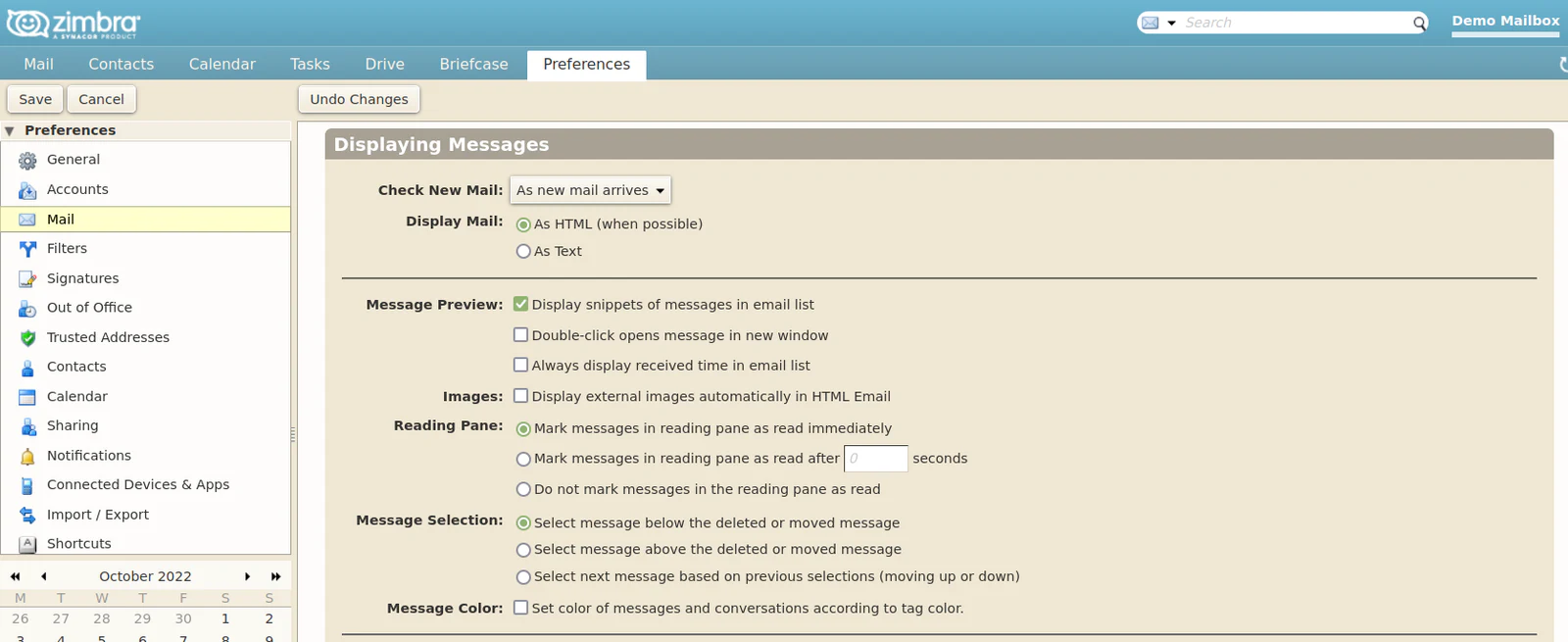
This is a trade. Messages that rely on remote images look broken until you choose to load them for a particular message. Many people accept that, because not fetching images also stops a sender learning that you opened their mail.
The same warning on a website
A website behaves the same way. A page served over HTTPS that pulls an image, script or stylesheet over plain HTTP is reported as insecure however good its certificate is. Fixing it means changing those references to HTTPS.